
Social Media & Your Job Search
Social media is woven into daily life across ages, industries, and countries. Most of us use at least one platform to keep up with people we care about, follow news, or track professional trends. That ubiquity makes your online presence part of your professional brand – especially when you’re job hunting.
Every platform has its own culture and privacy controls. But one rule is universal: once something is online, it can travel, be screenshotted, and resurface later. Treat your profiles like always-on billboards for your reputation. This is especially important to keep in mind during a job search – when you are trying to put your best foot forward. You better believe that the people hiring you are looking you up, so be prepared!
Below are current, practical guidelines to get your social presence job-search ready.
1) Start With a Smart Audit
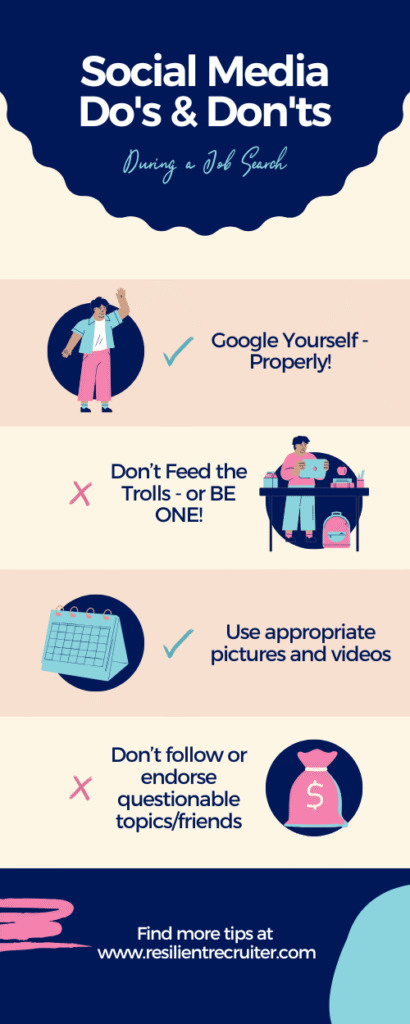
Google yourself – properly!
- Search your name in an incognito/private window. Try variations (full name, nickname, maiden name, initials).
- Check All / Images / Videos / News tabs. Repeat on Bing and DuckDuckGo.
- Search your common usernames/handles and email addresses.
- Review results on page 1–3, plus image matches (right-click: “Search image with Google”).
- Ask a friend to search you too; their results can differ.
Clean up & consolidate
- Delete or deactivate old accounts (e.g., abandoned blogs, forums, Myspace-era pages).
- Update bios and links; remove outdated or “inside joke” job titles.
- Untag or request removal of photos; adjust tag review features where available.
- Review your likes, follows, saved posts, and playlists – these can be visible and signal values.
Tighten privacy
- Lock down personal profiles you don’t want public (Instagram, Facebook, Snapchat).
- Review story and live defaults; stories aren’t truly ephemeral.
- Disable precise location sharing on posts and profiles.
2) Calibrate Your Voice on “Public” Internet
Strong opinions & hot takes
- Passion is human; permanence is risky. If a post could alienate a reasonable hiring manager, workshop it for a private group or keep it offline during a search.
- Avoid pile-ons and subtweets. Comment threads and quote-posts are easily screenshot.
Don’t feed the trolls (or be one)
- Pseudonymous activity is rarely as anonymous as it feels. Assume connections can be made between handles.
Humor & job titles
- Keep personality; skip vulgarity or shock value. “Chief Storyteller” or “Community Nerd” can be fun. “Lead Pimp” or “Kickin’ A**” will backfire.
3) Platform-by-Platform Quick Wins
- Photo: recent, friendly, plain background.
- Headline: value-focused (“Product marketer | Turns insights into growth”).
- About: 3–5 short paragraphs with keywords; add a call to action.
- Featured: link a portfolio, media, or top post.
- Experience: impact bullets with metrics.
- Skills: pin your top 5; request 2–3 fresh recommendations.
- Settings: turn on “Open to Work” (recruiters-only), enable profile visibility to recruiters.
X (formerly Twitter), Threads, Mastodon, Bluesky
- Pin a professional post or portfolio link.
- Use lists/feeds to engage industry voices.
- Mute or archive older spicy threads; check replies you’ve left on others’ posts.
Instagram, TikTok, YouTube (incl. Shorts/Reels)
- If public, let the grid/playlists tell a coherent story (projects, speaking clips, builds, demos).
- For creators: keep captions clean, avoid profanity in titles/thumbnails, and consider a dedicated professional channel.
Reddit, Discord, Slack communities
- Great for learning and networking – just mind searchable histories and server handles.
- Avoid doxx-adjacent content and heated comment wars.
Portfolio platforms (GitHub, Behance, Dribbble, Substack, Medium)
- Pin 3 – 6 representative works.
- Refresh READMEs/case studies with role, tools, outcomes.
- For code: add a concise /docs or project overview; keep issues closed and tests passing.
4) Photos & (Especially) Video
Short-form video is ubiquitous and employers do see it. Use it to your advantage:
- Showcase explainers, demos, talks, or day-in-the-life content relevant to your field.
- Skip profanity, dangerous stunts, or polarizing rants on a public/professional channel.
- Check auto-captions for accuracy (mis-captions cause misunderstandings).
- Verify backgrounds (whiteboards, addresses, badges) before posting.
5) Your “About/Info” Sections
- Use clear, search-friendly descriptors: role, skills, industry, location (or “remote”), contact method, portfolio link.
- Avoid slang, NSFW terms, or anything that reads as hostile or boastful.
- If you wouldn’t want it on a slide during an interview, it doesn’t belong in your bio.
6) Friends, Follows, Tags & Groups
- Your follows can be interpreted as endorsements. Curate public lists.
- Enable tag review so photos don’t auto-appear.
- If you keep a small, private circle, that’s fine – just ensure your public footprint still supports your professional narrative.
7) Security & Impersonation (2025 Reality Check)
- Enable 2FA (authenticator app > SMS).
- Use unique passwords; consider a manager.
- Watch for AI-generated deepfakes and impersonation accounts; report quickly.
- Don’t post sensitive IDs or travel plans in real time.
- Remember that data brokers aggregate public info; keeping personal accounts private reduces exposure.
8) Know the (General) Rules of the Road
- Some regions protect off-duty lawful conduct, and some companies publish social media policies. Regardless, hiring decisions often weigh public signals. This isn’t legal advice – just risk management.
- If your current employer has a policy, follow it meticulously during your search.
9) A 30-Minute Spring-Clean Checklist
- Incognito search your name + city + employer + username.
- Audit Images/Videos results; request removals where possible.
- Lock down personal accounts you don’t want public.
- Update LinkedIn photo, headline, About, Featured, top skills.
- Pin 1–2 professional posts on X/Threads; remove questionable replies.
- Curate follows/likes; unfollow novelty accounts on public profiles.
- Update portfolio links everywhere; test that they open on mobile.
- Turn on tag review and story privacy.
- Enable 2FA across major platforms.
- Post one fresh, value-add update that reflects your expertise.
Conclusion
Not everyone agrees with how social footprints should factor into hiring, but they do. During a job search, aim for a presence that is accurate, professional, and consistent. One avoidable post or careless comment shouldn’t be the reason you lose out.
Before you apply, take an hour to review your history, adjust privacy, archive questionable content, and update your professional profiles. When in doubt, lean conservative – less is more.
Have a story about how social media helped or hurt a search? I’d love to hear it. Share in the comments or email your note to the team.

by Natalie Lemons
Natalie Lemons is the Founder and President of Resilience Group, LLC, and The Resilient Recruiter and Co-Founder of Need a New Gig. She specializes in the area of Executive Search and services a diverse group of national and international companies, focusing on mid to upper-level management searches in a variety of industries. For more articles like this, follow her blog. Resilient Recruiter is an Amazon Associate.